
EDIT GRAPHICS ONCE.
REUSE ACROSS TEMPLATES.
Build Revit View Templates from reusable components. Manage category graphics and filters, preview line and fill overrides, and apply templates to selected views from one workspace.
DON'T CLONE WHOLE TEMPLATES.
SNAP IN ONLY THE TABS YOU NEED.
Capture template settings as reusable components. Assemble Model, Annotation, Filters, and other supported slots independently, then assign the resulting View Template to compatible project views.
Save projection and cut line styles, fill patterns, and category overrides as reusable components.
Edit Model, Annotation, Analytical, and Imported category visibility and graphic overrides.
Group messy project View Filters into folders and edit AND/OR rules in one window.
Review template usage, compare supported settings with saved components, and inspect local overrides.
Assign templates to selected compatible views and transfer component libraries between projects.
STANDALONE GRAPHIC BLOCKS.
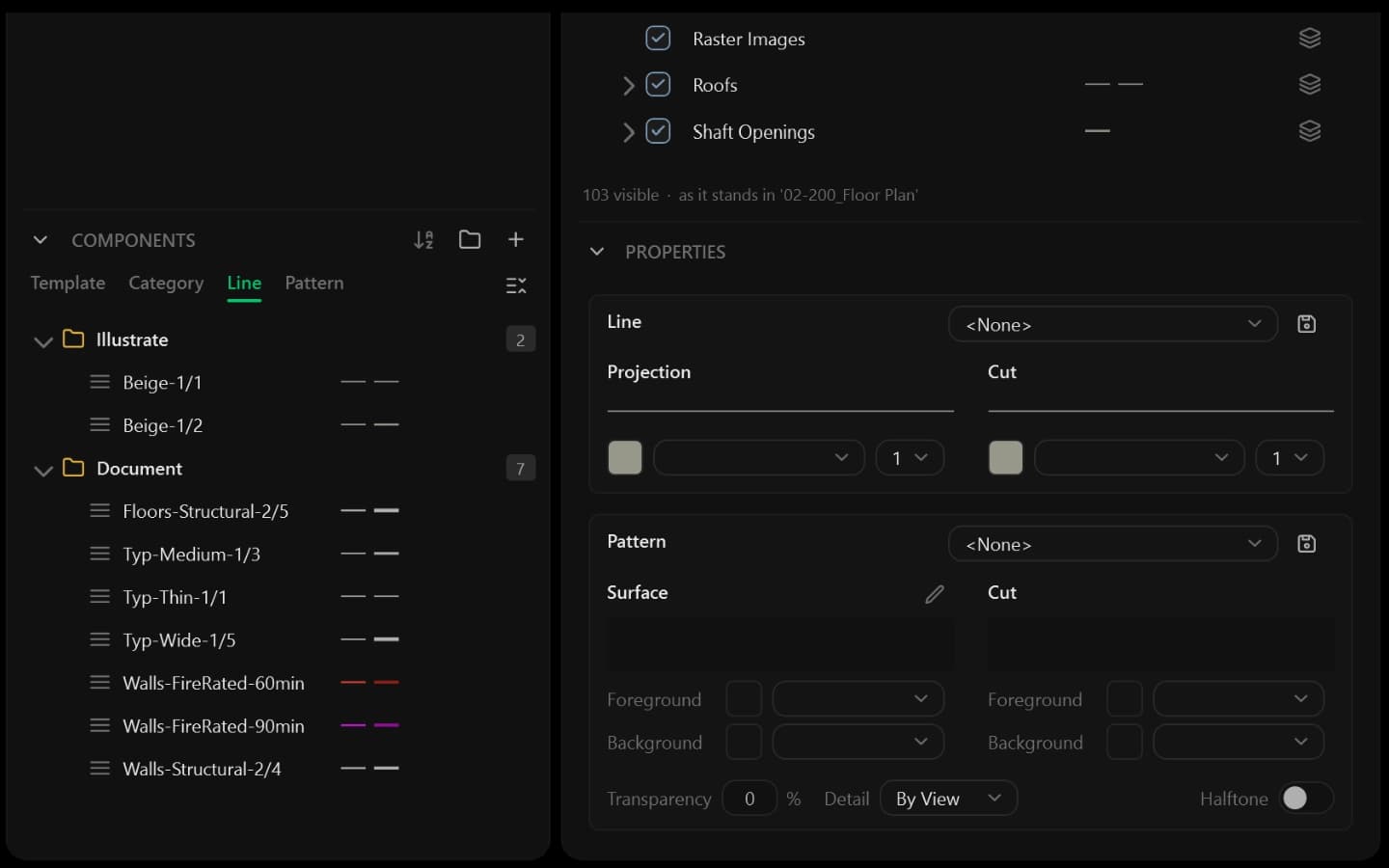
Keep line and fill pattern presets in dedicated libraries. Drag them onto category or filter graphics, and save category overrides including transparency and halftone.
- Projection/cut line and fill pattern presets
- Drag presets onto category or filter graphics
- Organize reusable components in folders
PREVIEW BEFORE YOU APPLY.
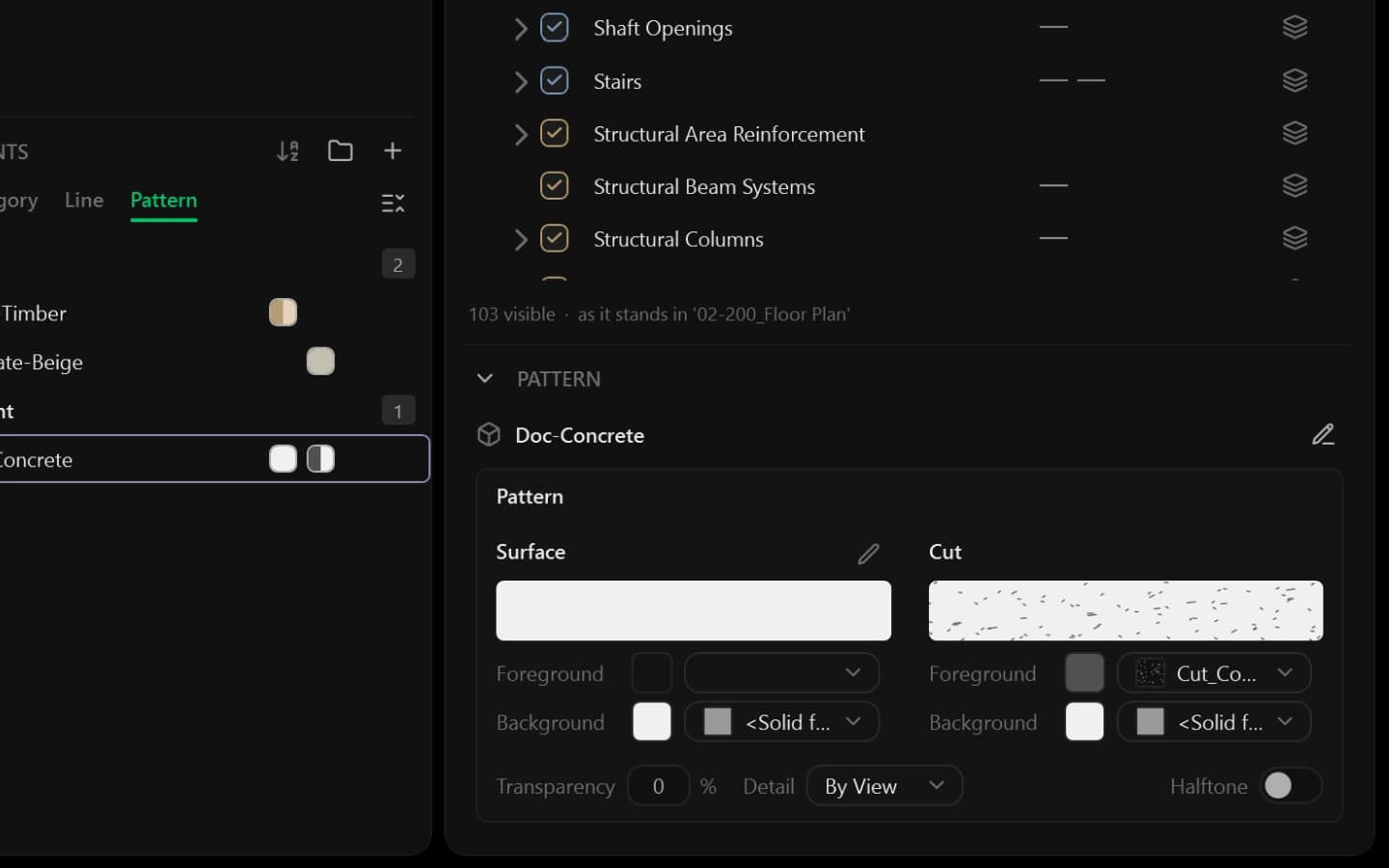
Preview projection and cut line weights, dash patterns, fills, and transparency while editing. Adjust supported display settings, view range, and color schemes in the same workspace.
- Live Projection and Cut graphic preview
- Display controls available for the selected view
- Filter categories by multiple disciplines
ASSEMBLE TEMPLATES BY TAB.
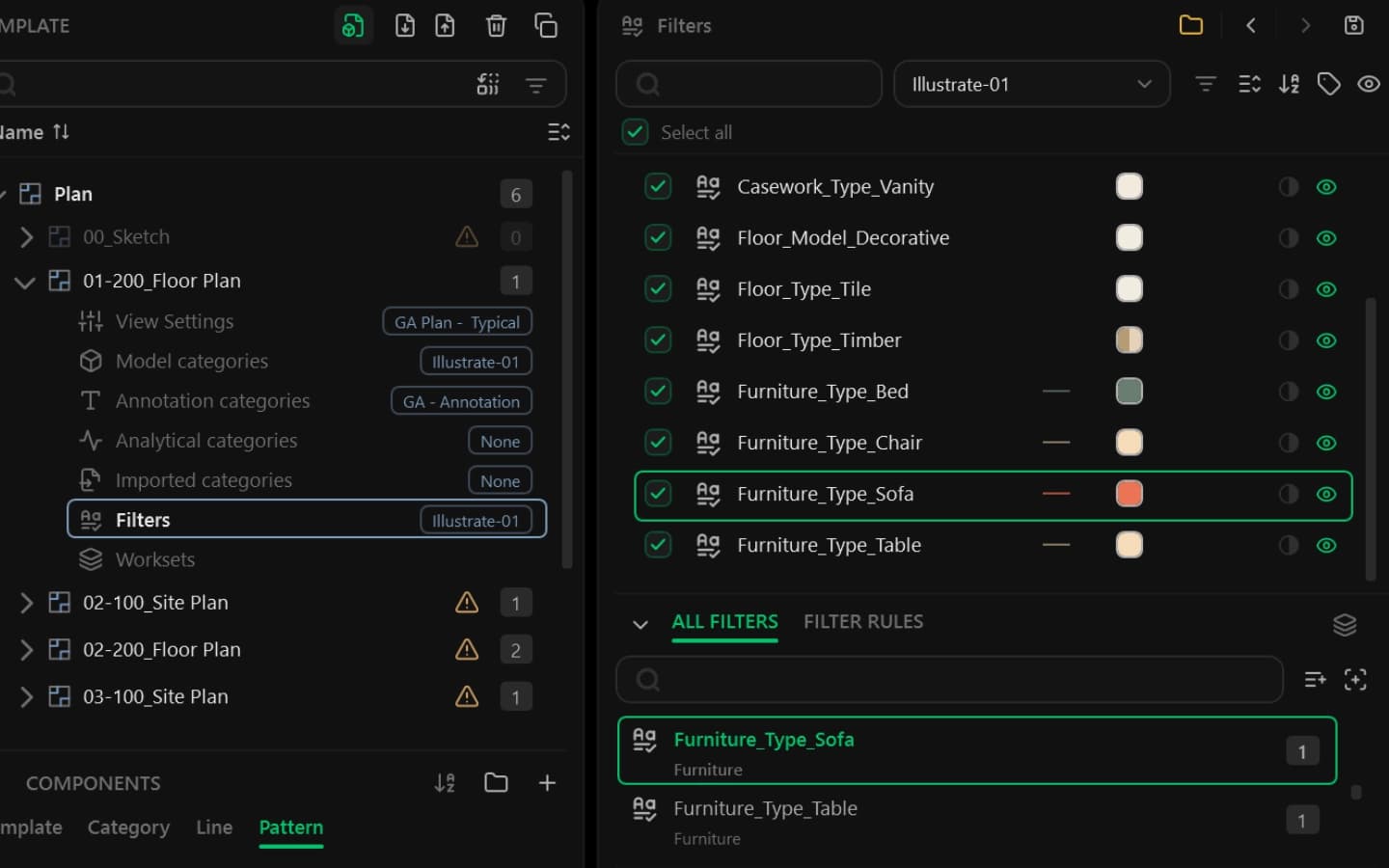
Compose templates from View properties, Model, Annotation, Analytical, Imported, Filters, and Worksets slots. Reuse saved components and choose which settings each template controls.
- Component match badges or Custom status
- Filter folders stored inside the .rvt file
- Workset visibility for workshared models
NO MORE V/G DIALOG DIGGING.
ONE GRAPHIC WORKSPACE.
See how GMS replaces repetitive View Template edits and buried filter menus with shared graphic presets and batch updates.
Create reusable line weight, color, and fill pattern presets, then apply them to supported category and view filter graphics.
Reuse saved components across seven template slots. Match badges identify saved settings; Custom marks settings that differ from the library.
Store filter folders in the project, edit nested AND/OR rules, and manage selection filters for views in one workspace.
List views using each template, compare supported settings with saved baselines, and export audit reports. Review unused templates before purging.
Assign a View Template to multiple compatible views. Export component libraries with referenced filters and patterns, then review imports in the target project.
Review template usage and differences from saved components. Export audit reports and transfer reusable libraries between projects.
Preview line and fill overrides while editing, reuse category components, and assign View Templates to selected compatible views.
Organize system filters in project-stored folders, edit nested AND/OR rules, and narrow category lists by discipline.
STOP EDITING VIEW TEMPLATES ONE BY ONE.
STANDARDIZE REVIT GRAPHICS IN ONE PLACE.
Build reusable template, category, line, and pattern libraries. Manage filters, review template differences, and apply standards to compatible views.