
MANAGE SHEETS. CONTROL REVISIONS.
EXPORT PDF & DWG IN BATCH.
Organize sheets and views, manage revisions and print sets, and deliver consistently named PDF and DWG files from one Revit workspace.
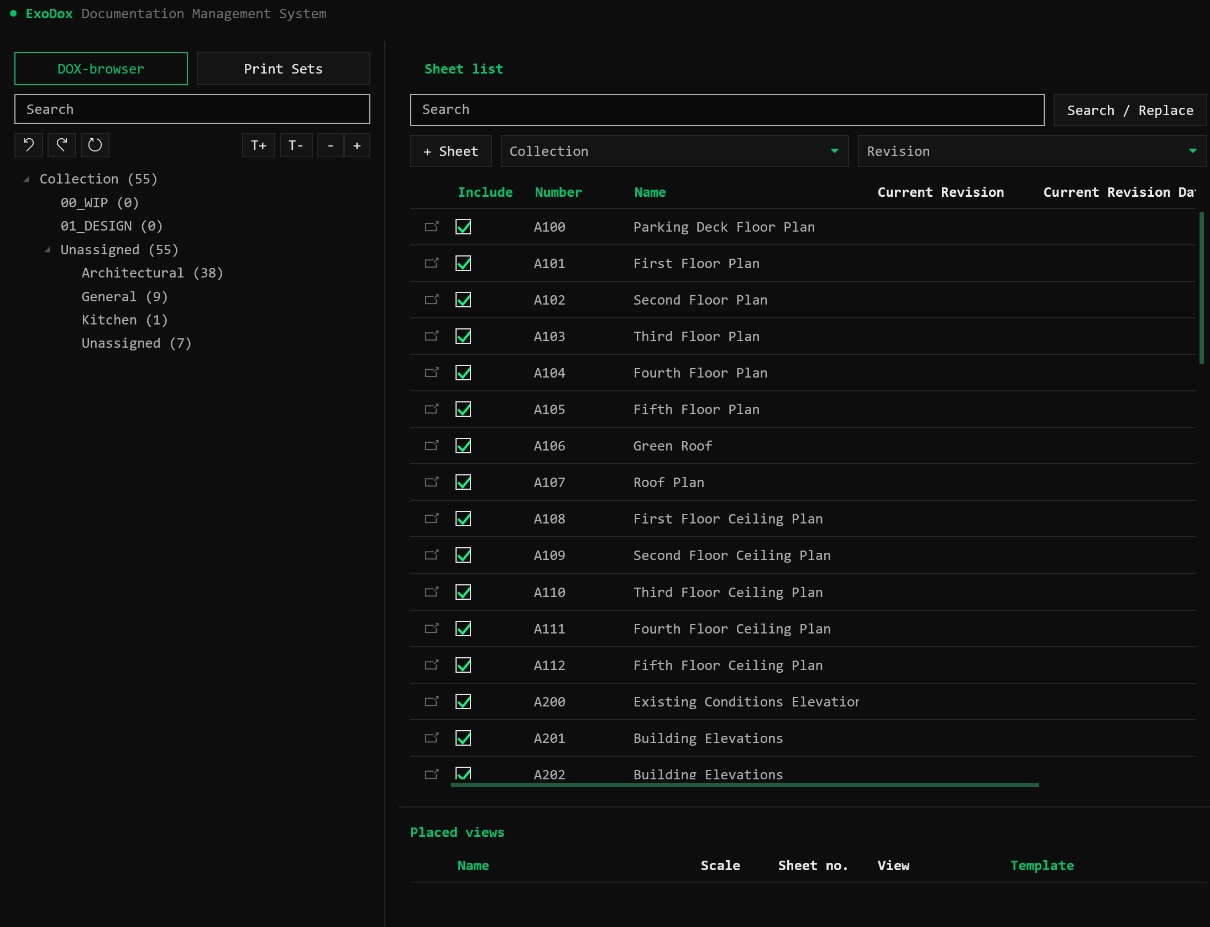
ExoDox Workflow Demo
Watch a recorded ExoDox workflow for organizing sheets, managing revisions, and preparing batch exports in Revit.
Build a sheet tree from Sheet Collection and available sheet parameters.
Apply parameter-based naming conventions and sequential sheet numbering.
Assign and edit project revisions across selected sheets.
Create sheets from pasted rows or CSV data with a selected title block.
Export selected sheets or print sets to PDF, DWG, or both with reusable naming and export controls.
EVERY DRAWING ACTION, ONE BATCH CLICK AWAY.
The sheet manager is not just for viewing. It is a full print control workstation for the model.
Build a multi-level sheet tree from Sheet Collection or available writable sheet parameters. Search and filter the tree, then drag sheets between collection or parameter values.
Rename sheets and views in bulk with parameter-based conventions, or renumber selected sheets with a prefix, suffix, start value, step, and zero padding.
Filter sheets and views by number, name, type, template, collection, revision, or placement. Scan the visible list and replace matching text in sheet or view names.
Assign or clear revisions across selected sheets, then edit numbering, descriptions, dates, issue details, and cloud or tag visibility in one table.
Create multiple sheets from pasted rows or a CSV containing sheet number and name. Choose the title block type before creating the full batch.
Export selected sheets or print sets to PDF, DWG, or both. Use parameter-based file names, format subfolders, detailed PDF controls, and saved Revit DWG export setups.
Create, search, append to, and delete native Revit print sets. Add sheets or printable views by selection or drag and drop, and export a set directly.
Drag one or more unplaced views or schedules onto a target sheet. ExoDox checks whether each item can be placed and adds valid items at the sheet center.
Organize, filter, and structure sheets and views inside Revit. Search and manage your model drawings and sheet parameters in one focused list.
Build parameter-based naming conventions for sheets, views, and exported files. Save export settings locally for reuse.
Run PDF and DWG exports through Revit with naming, paper, quality, and DWG setup controls in one workflow.
Scale your sheet deliverables.
Optimize your Revit coordination.
Use ExoDox to organize sheets and revisions, standardize file names, and prepare PDF and DWG deliverables from one Revit workspace.